Category
- Getting Started
- WORDPRESS
- CPANEL (CONTROL PANEL)
- HOSTING
- DOMAINS
- EMAIL
- APP HOSTING
- BILLING
- WEB DESIGN
- WEB MIGRATION
- SECURITY
- SOFTWARE PRODUCTS
- MANAGING YOUR ACCOUNT
- DATA CENTERS AND SERVERS
- SERVICE AGREEMENTS
How to use the knowledge Base?
Learning how to use this knowledge base site helps you solve common web hosting issues, configure your account, and access expert guidance anytime. The Nextel Knowledge Base is a comprehensive hub filled with articles, tutorials, and troubleshooting tips designed for users of all experience levels.
Search Function
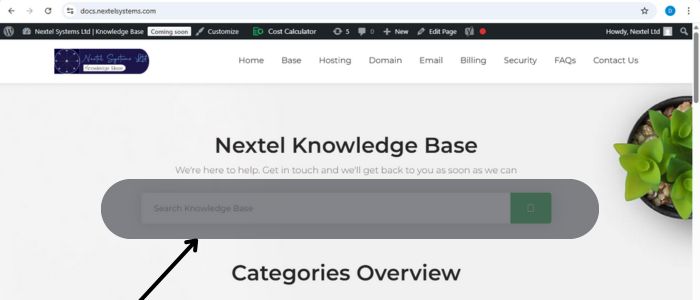
The Nextel Knowledge Base has a search function on the Home page at https://docs.nextelsystems.com/. Enter specific keywords or phrases related to what you’re looking for, like “reset password” or “plugin installation.”
Categories and Sections
The Knowledge base is organized into categories, such as “Getting Started,” “WordPress,” or “Domains.” Browse through these sections to find information relevant to your needs.
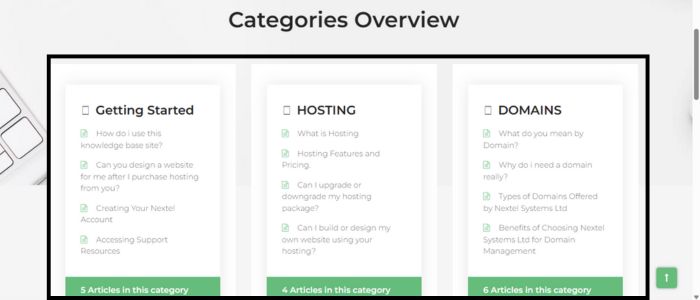
Each section contains detailed guides tailored to your topic of interest. This structure makes it easy to explore and learn how to use this knowledge base site efficiently.
Navigating Category Sections
When browsing by category, you’ll find all related articles in one place. Click on a guide to get detailed, step-by-step instructions. This organized layout helps users quickly locate information.
Contact Options
If you can’t find what you’re looking for, the knowledge base includes a direct link to contact Nextel support for additional help. Whether through live chat or support tickets, assistance is always a click away.